InstEd Plus provides the fastest, most flexible way to do exactly what you need
to do. The philosophy behind InstEd Plus is to allow you to achieve complicated
tasks as fast as possible, while providing excellent control of all the changes
that happen.
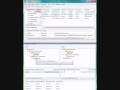
The System Viewer (1.0.3.4 and later) provides an overview of the file and registry changes on the target machine.
Best viewed full screen.
It can be filtered by Component, Feature, Feature with Parents.
It reflects all changes to the tables immediately
Right clicking on any component field will allow immediate filtering by that component
to see a system view for just that component.
The referenced tables are:
CreateFolder
DuplicateFile
File
IniFile
IsolatedComponent
MoveFile
RemoveFile
RemoveIniFile
Shortcut
Registry
RemoveRegistry
Clicking on any row in the System Viewer navigates InstEd to that table row in the background for further exploration.
A visual indication of the "weight" or relative amount of entries for each folder/registry key is provided.
A visual indication of the elements provided in each node is provided for quick
location of shortcuts, files, etc
Smart Field Editors
Property editor demo:
Numeric editor demo:
Best viewed full screen:
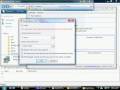
The new field editors (1.0.3.4 and later) provide the most information in the best way as you edit fields.
case insensitive auto-completion
persistent bit flag editors (the old menu based system disappeared after clicking
one entry)
bit flag previews
string editors that show the entire text regardless of length
specialized Formatted field editor
customizable auto-completion lists (e.g. Standard Actions for Action fields)
view auto-completion lists by category (e.g. just the files when editing the KeyPath
field of a Compnent)
smart property values (e.g. see the target path of a file or registry table entry
when editing the KeyPath field of a Component)
sort auto-completion lists by value, as well as name (e.g. sort the Directories
list by target path when setting the Directory_ field of a Shortcut)
certain specialized editors (e.g. Target field editor for Shortcut table, which
understands advertised and non-advertised shortcuts)
script editor with language specific syntax highlighting, syntax checking via compile, and advanced text editing such as find/replace (CTRL+F) and goto (CTRL+G)